“You will never get organized if you don’t have a vision for the life you want.”
– Peter Walsh
Home Page Design:
Why do you want your home page to pop? Because, your home page is the first design people will see when they click on your website. The home page should be unique in its own way and not look the same as the rest of your website. Also, making sure your homepage work is the most essential part!
Organizing Your Website Content:
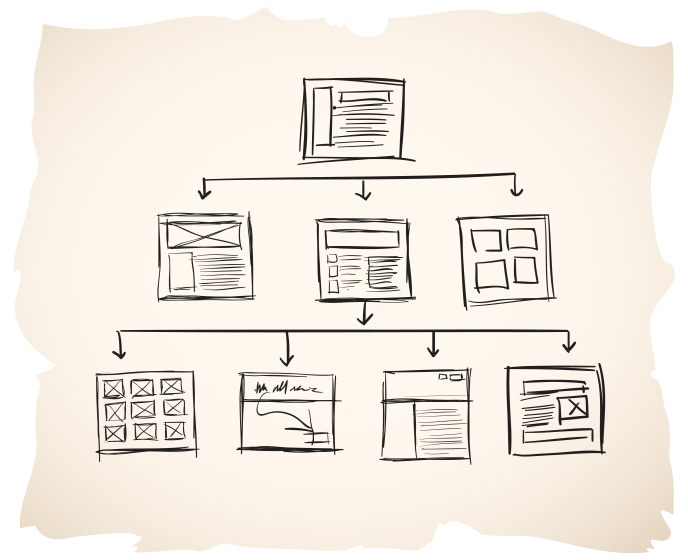
When beginning to organize your website content you should picture it as if it was a restaurant menu. Your main menu should tell your visitors exactly what they are going to get at a glance. Your visitors should not have to wonder where the links will take them if they click it.
What Should the 3 Main Pages on Your Website Be?
- Home Page: The first page and should identify the purpose of your overall website.
- About Page: Background information and a picture of the founder
- Contact Page: Contact information, driving directions, and social media profiles
Themes to Have When Organizing Information:
- Category: Organization by the similarity of characteristics or relatedness of the items.
- Time: Organization by timeline or history, where elements are presented in a sequential step-by-step manner.
- Location: Organization by spatial or geographic location, most often used for orientation and direction.
- Alphabetic: Organization based on the initial letter of the names of items.
- Continuum: Organization by the quantity of a measured variable over a range, such as price, score, size, or weight.
 Queen K's Blog