Understanding What “Going Viral” Means

“Going viral isn’t random, magic, or luck. It’s a science.”

Jonah Berger

Viral

What does “going viral” mean? Going viral is an image, video, or link that spreads rapidly through a population by being frequently shared with a number of individuals.

Introduction:

For decades, the advertising industry was based on an asymmetrical communication model, where marketers would engage audiences via paid media channels. The advent of social media platforms completely transformed the general media landscape, along with the advertising model, as audiences shifted from the role of content receivers to content creators, distributors, and commentators.

Three Key Things That Can Make You Go Viral:

  1. Tease makers
  2. Communties participation
  3. Unexpectedness

Viral Advertising 

There are several key differences between viral and traditional advertising.

First, viral advertising earns audience eyeballs, as opposed to paying for them. This is a major departure from the traditional advertising exchange, where brands purchase media space and interrupt an audience’s media consumption with advertisements.

Second, viral advertisements provide such increased value to audiences that they transform audiences from passive content receivers to active social distributors who play a key role in advertisement distribution.

Third, although there are limited studies speaking to this point, it is worth noting that information sharing has been shown to increase a user’s followers on Twitter, which is a long-term benefit for marketers.

The Social Networks Approach

The social networks conceptual framework shifts the focus from individual traits to patterns of social relationships (Wasserman & Faust, 1994). Applying a social networks approach to social media activity allows researchers to capture content virality and identify key social media influencers that affect the conversation about a brand and reach key groups of consumers.

A social network is formed when connections (“links”) are created among social actors (“nodes”), such as individuals and organizations. The collections of these connections aggregate into emergent patterns or network structures. On Twitter, social networks are composed of users and the connections they form with other users when they retweet, mention, and reply.

Always remember that anyone could be famous at any minute.

Scripting in the Broadcast Industry

“JavaScript is the world’s most misunderstood programming language”

Douglas Crockford

Scripting

What exactly is scripting? A script or scripting language is a computer language with a series of commands within a file that is capable of being executed without being compiled. Good examples of server-side scripting languages include Perl, PHP, and Python. The best example of a client-side scripting language is JavaScript.

JavaScript

JavaScript is among the most powerful and flexible programming languages of the web. It powers the dynamic behavior on most websites. It can be used to detect user actions in other tabs within a same site origin environment or browsing context.

Applying it to Broadcast

Would this work? In reality, yes it would. Scripting in the Broadcast Industry would be interesting but at the same time it would be creepy and here’s why. JavaScript can be used to detect users’ actions in other tabs within a same site origin environment or browsing context. Who wants to be spied on? Surely not me.

To be more specific, this allows for communication between windows, tabs, iframes, web workers, and service workers. Messages posted to a given channel are delivered to all listeners of that channel.

Privacy

Is there any privacy here? No, there isn’t. The GDPR (General Data Protection Regulation) is a new European privacy law that, as of May 25, 2018, generally governs how organizations – including those EU-based and many that are not – collect, use, disclose, or otherwise “process” personal information. While some limited exceptions exist (e.g., businesses with fewer than 250 employees are exempt from some requirements), the GDPR imposes an array of obligations on company’s subject to it.

GDPR Continued…

it can apply to broadcasters who collect or use data to provide services like streaming TV or radio to individuals in the EU. It also can apply to broadcasters who use website cookies and other online tracking mechanisms to “monitor” individuals in the EU (e.g., profiling for behavioral advertising).

The Broadcast Industry needs their privacy which they have the rights to so no, I would not agree to having scripting used in Broadcast.

The Best Web Design Training

“Design is not just what it looks like and feels like, design is how it works.”

Steve Jobs

Treehouse

Is treehouse web design training the most useful? Yes, it is in my opinion. Treehouse is a video-based service, offering web design training in HTML and CSS, web development (including HTML5 and Javascript), and creating iOS apps (using Objective-C and Xcode), all wrapped up in a clear and easy-to-navigate user interface. Sounds pretty fun and easy right?

Pro

Treehouse provides great content but there’s also a game element to the site that tests you on what you’ve learned and rewards you with achievement badges. So, if you need extra motivation to learn, this is a great site to use.

Con

However, Treehouse does charge a subscription for its services, BUT the videos are very professionally produced, and you get a wealth of lessons covering almost every aspect of web design and development. Trust me, you are getting your money’s worth!

CA 260 Online

CA 260 taught entirely online as maybe a MOOC would be indeed faster, cheaper, and free internet. MOOC interactive technology promised to deliver top-tier teaching from institutions like Harvard, Stanford, and MIT, not just to a few hundred students in a lecture hall on ivy-draped campuses, but free via the Internet to thousands or even millions around the world. The program offers evidence that MOOCs can expand access and reduce costs in some corners of higher education. I would definitely enjoy it more.

Benefits of MOOC

I would defiantly enjoy it more expenses wise. Online would be cheaper however, I believe I would get less out if it as a student because I’m a hands-on person, face-to-face student who enjoys being in the classroom. I feel that I have a better chance at understanding the material that’s being taught in class and if not, I can simply raise my hand in the moment and receive help or ask a friend. whereas, online I have to figure out what questions I have and constantly email the professor. I would rather be in class.

All About CMS

“Coming together is a beginning; keeping together is progress; working together is success.”

Henry Ford

What is CMS?

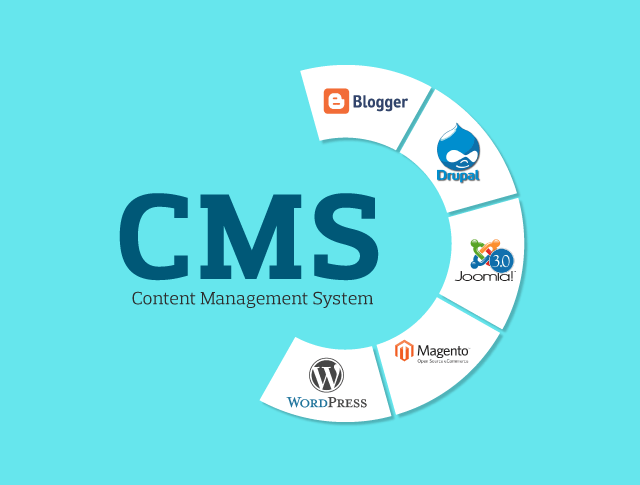
CMS stands for content management system.

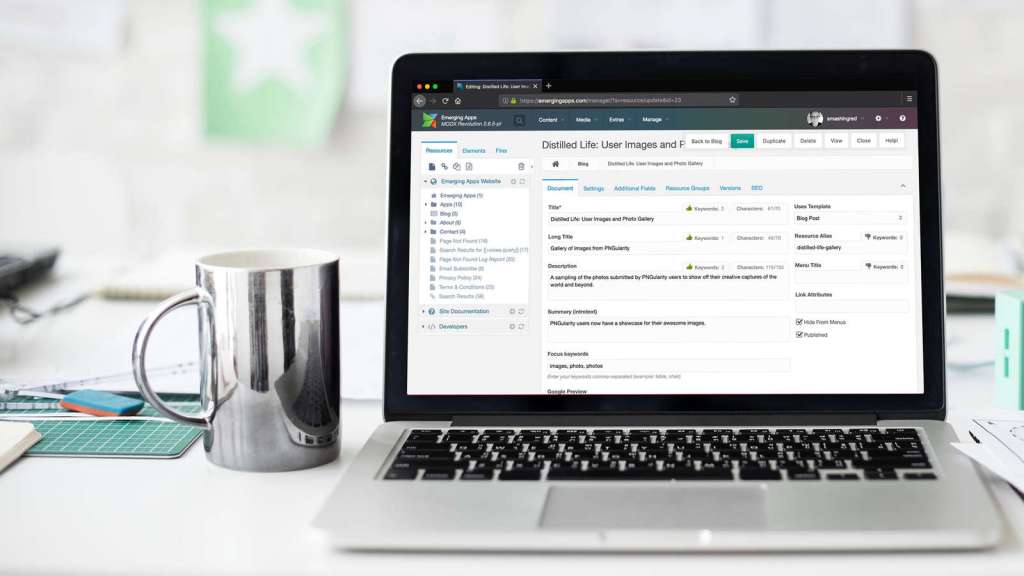
CMS is computer software or an application that uses a database to manage all content, and it can be used when developing a website.

A CMS can therefore be used to update content and/or your website structure.

Most CMS solutions are open-source, which means they are free and accessible to everyone. However, some may contain additional paid options, such as templates and plug-ins.

The main CMS are currently WordPress, Joomla, Drupal, Magento and Prestashop.

Three Excellent Open Source CMS Platforms

  1. Drupal- installation looks and feels a bit lengthy. Requires database name, user ID, and password, among others.
  2. Joomla- provides few extra options and a secure feature of installer files deletion. Requires database name, user ID, and password, among others.
  3. WordPress- has a minimal interface and the quick installation feels nice, but it doesn’t let you configure much during installation. Requires database name, user ID, and password, among others.

Theme Availability

  • Drupal– Drupal’s official website lists 1223 themes and 14369 modules (plugins are called modules) which are available for free download. Pretty good right?
  • Joomla- official website lists 7437 plugins, and there is no information about themes. But the theme marketplaces have relatively more Joomla themes available than Drupal themes.
  • WordPress- With 2176 themes and 28593 plugins available on the official website, it quite clearly shows the might of the community behind WordPress. Even the marketplaces have many WordPress themes available. This huge number is also attributed to the popularity WordPress has over other CMS solutions.

Ease of Use

  • Drupal- Drupal provides some very important features in a very simple and basic user interface (UI). Once you login to the admin account, you have a menu bar on the top, showing all the important aspects of your Drupal site. There is a content link, which shows you a list of all the content and comments on your site and lets you add or manage them.
  • Joomla– Joomla lists all the major aspects of the site as different menu items, and below each menu item there is a drop down with more links. Overall the interface of Joomla admin is more polished and refined (compared to Drupal) and also provides more fine-tuned control over the website, but the downside is if you are new to Joomla you will find too many buttons and links all over the place, and it may be difficult to understand their use without looking at the documentation.
  • WordPress- WordPress lives up to being simple and easy to use. The interface is minimal and uses easy to understand language which makes a difference, especially to novices. Compared to the Joomla/Drupal interface that uses more technical language, WordPress definitely has an edge here.

Customization and Upgrades

  • Drupal- After some research I found that, the only way to upgrade a Drupal installation is to do it manually, i.e. backup old files and data, extract the Drupal latest package, and replace all the old files except /sites folder (contains themes and other data) and any other files added. 
  • Joomla- Joomla supports upgrading the core from the backend, i.e. you login to the backend, go to Joomla update component (version >= 2.5.4) or Update tab in Joomla Extension Manager (version < 2.5.4), and click install update. That’s it! 
  • WordPress– Like Joomla, WordPress also supports online updates via the admin user interface. WordPress alerts you whenever there is an update available, if you want to update, just click on update now and WordPress is updated to latest version!

The Best CMS Source

I would recommend WordPress, simply because it’s simple and very easy to use. WordPress is the winner out of all of three CMS’s. WordPress is also the most popular site. They also provide many free templets!

Are Infographics Useful?

“Education is not the preparation for life; education is life itself.”

John Dewey

What Exactly is an Infographic?

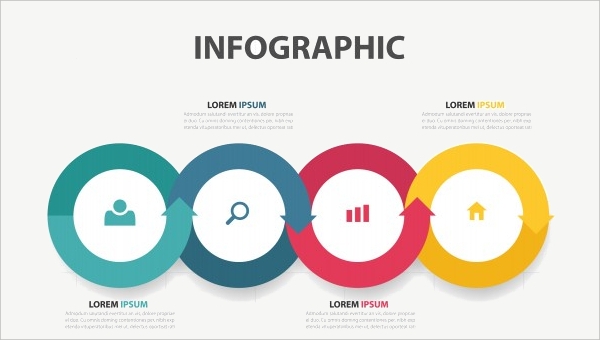
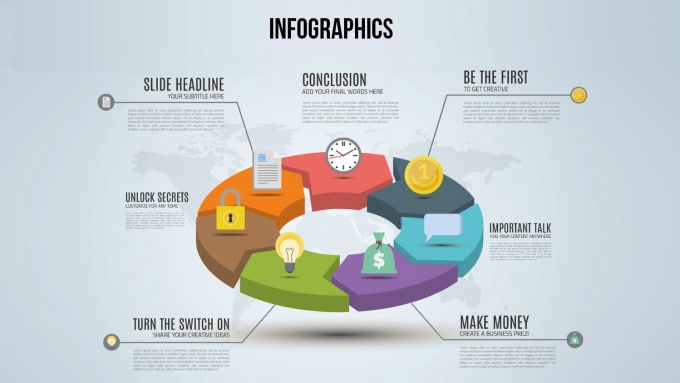
An infographic is a visual image such as a chart or diagram used to represent information or data.

Infographics Have A Purpose

Seeing Infographics everywhere and wondering what’s it’s purpose?

  • Infographics are used as a powerful tool to allow people to easily digest information through the use of visual data, charts, and statistics. With the proper use of color, proportion, and negative space, information can be transformed into memorable, attention-grabbing and even persuasive graphics.
  • In this fast paced, modern age, people are overwhelmed with information every day and attention spans are decreasing by the second. Obscure amounts of data is stored online and organized for analyzing and reporting purposes.

Important Checklist:

  1. Research- FACTS!
  2. Organize- Consider using an aggregation tool to collect research, ie. Diigo, Pinterest etc.
  3. Prepare- Review infographic best practices. Have a friend or peer review your outline with the goal of improving the storyline.
  4. Design- Identify the tools you will use. Use the transcript to help you include the data.
  5. Share- PUBLISH!

12 Useful Tips to Use When Creating Infographics:

  • Making sure that your infographic targets your audience
  • Keep it focused
  • Keep a simple topic
  • Show things visually
  • Make it easy to view
  • Promote it
  • Making sure it is not too long or too short
  • HAVE WHITE SPACES!
  • Headline should draw in the audience
  • Make sure it flows good
  • Check your facts
  • CITE YOUR SOURCES!

For more information on Infographics be sure to check out both YouTube videos below.

Creating Infographics with Piktochart
Creating Infographics with Canva

A Legal Guide to Having No Copyright-Protected Material

“There is no copyright in ideas. It’s just about how words are expressed.”

Mark Stephens

What is Copyright?

Who wants to be sued for making a mistake that could’ve easily been avoided? Well, in order to not be sued you need to fully understand the definition of copyright which is the exclusive legal right, given to an originator or an assignee to print, publish, perform, film, or record literary, artistic, or musical material, and to authorize others to do the same.

Copyright Exceptions

  • Fair Use
  • Face-to-Face Instructor
  • Virtual Instructor

Fair Use

Fair use is one of the exceptions in copyright which allows use of copyrighted materials without obtaining permission as long as the use can be considered fair. The goal is to achieve a balance between the rights of the copyright holder with the rights of the public. Fair use is also technologically neutral so the same analysis may be applied to any medium.

Face-to-Face Instructor

The traditional classroom or face-to-face instruction is when the instructor and the students of a nonprofit educational institution are in a place devoted to instruction and the teaching and learning take place at the same time. In this setting all performances and displays of a work are allowed. Examples may include music, videos, images, and printed word.

Virtual Instructor

Virtual instruction is when a course is taught either solely online or when components of face-to-face instruction are taught online such as with Blackboard and other course management systems. Virtual instruction includes digitally transmitting class materials to students. This transmission is authorized under the TEACH (Technology Education and Copyright Harmonization) Act which is a part of the copyright law.

5 Tips to Help You Choose Reusable Content for Your Own Blog Or Website.

  1. Link to your older post
  2. Change the visual elements of the post
  3. Incorporate old content into your newsletter
  4. Create an Archive page
  5. Syndicate your content

Accessing Your Web Page With Ease

“The power of the Web is in its universality. Access by everyone regardless of disability is an essential aspect.”

Tim Berners-Lee

10 Short and Sweet Important Accessibility Tips

  1. Use proper headings: headings and subheadings will help non-visual users understand how the page is organized and it will be easier for screen reader users to navigate.
  2. Know when to use PDF’s: If PDF characteristic isn’t essential then consider using an alternate format such as HTML.
  3. Identify language of text: for multi-lingual readers use markup to identify the default language of a document and of any text that deviates from the default.
  4. Avoid using tiny fonts: some users are unaware that font sizes can increase so use a reasonable large font size.
  5. Respect white space: Adequate white space between lines and blocks of text can provide readers with a clearer interface.
  6. Choose a dropdown menu system that works for all users: Ask questions like: Can this menu be operated by keyboard alone? If so, is doing so efficient or does it require dozens or hundreds of keystrokes?
  7. Test web pages with a keyboard: try navigating the web page and controlling all its features using the tab key on a keyboard; don’t touch the mouse. This simple test is typically a good indicator of accessibility.
  8. Think twice about the words you use: Keep your content simple to read and understand.
  9. Provide a transcript: Transcripts benefit all users by allowing them to access content quickly.
  10. Test pages on mobile devices: Growing numbers of users, including users with disabilities, are accessing the web using phones, tablets, and other mobile devices. Test your website using several mobile devices.

Be Aware of the Most Common Impairments and Disabilities Which Include:

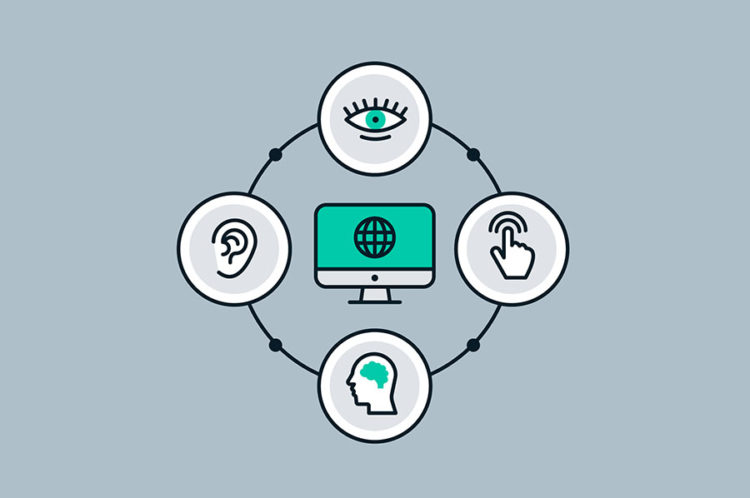
  • Vision problems
  • Hearing impairment
  • Motor skill conditions
  • Cognitive disabilities, like dyslexia or dementia
  • Photosensitivity, which includes epilepsy

Looking for Ways to Organize Your Website?

“You will never get organized if you don’t have a vision for the life you want.”

– Peter Walsh

Home Page Design:

Why do you want your home page to pop? Because, your home page is the first design people will see when they click on your website. The home page should be unique in its own way and not look the same as the rest of your website. Also, making sure your homepage work is the most essential part!

Organizing Your Website Content:

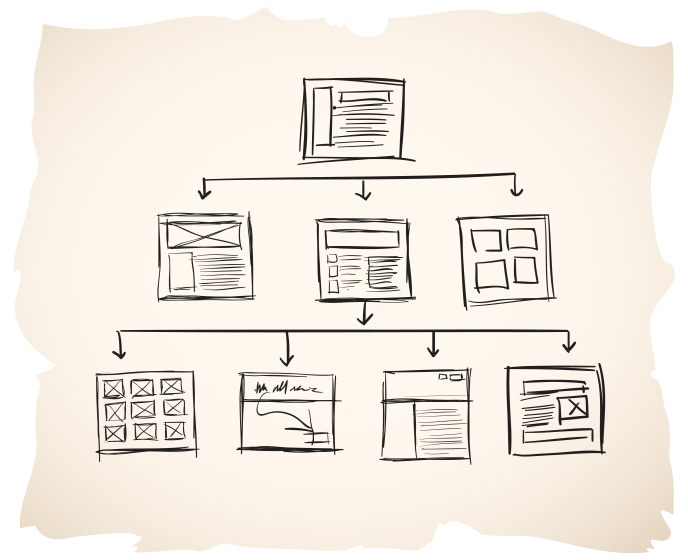
When beginning to organize your website content you should picture it as if it was a restaurant menu. Your main menu should tell your visitors exactly what they are going to get at a glance. Your visitors should not have to wonder where the links will take them if they click it.

What Should the 3 Main Pages on Your Website Be?

  • Home Page: The first page and should identify the purpose of your overall website.
  • About Page: Background information and a picture of the founder
  • Contact Page: Contact information, driving directions, and social media profiles

Themes to Have When Organizing Information:

  • Category: Organization by the similarity of characteristics or relatedness of the items. 
  • Time: Organization by timeline or history, where elements are presented in a sequential step-by-step manner. 
  • Location: Organization by spatial or geographic location, most often used for orientation and direction.
  • Alphabetic: Organization based on the initial letter of the names of items.
  • Continuum: Organization by the quantity of a measured variable over a range, such as price, score, size, or weight.

Ways to Enhance Your Blogging Skills

“Do your best, and be a little better than you are.”

– Gordon B. Hinckley

Recipe for Writing a Blog Post:

  1. Create a topic and gather the facts.
  2. Create a unique headline that will reel in readers.
  3. Begin writing your post.
  4. Include pictures that relate to what you’re talking about and will grab the reader’s attention.
  5. Edit blog post. Make readers want to keep reading.

The Do’s and Don’ts of Writing a Blog

Did you know that there are more than 1.52 billion blogs on the internet and WordPress.com alone has over 60 million of them? Every half a second, a new blog is created.

When you first start writing a blog post whether is for fun or for your job you will always have a guideline to follow. When writing a blog, you want to be sure that the topic you choose is an interesting one. You want your readers to be curious.

Customizing plays a big part in blogging. You want to be sure that your page is well organized and structured to the point that it is phenomenal to your readers. Examples: Adding enticing photos, having attention grabber headlines, links throughout your blog, and free of error.

What you don’t want is a boring blog that features no pictures and is very unorganized. Examples: long paragraphs, many errors, and no headings. Your blog can be plain, but still interesting.

The Do’s and Don’ts in the Sports Journalism Industry

Blogging in the Sports Journalism industry is so much fun because you can talk about anything pertaining to sports. However, there are still rules and guidelines that have to be followed. When writing, punctuation must be excellent! Who wants to read an article with many errors?

Being a Sports Journalist consist of prewriting, drafting, revising, editing, and lastly publishing.

  • Prewriting requires time to brainstorm questions and ideas. Questions that answer who, what, and how.
  • Drafting requires you to actually frame/write those ideas down.
  • Revising requires you to improve your writing.
  • Editing requires you to go back and make corrections.
  • Publishing requires you to share your work with the rest of the world.

Becoming A More Proficient Blogger Each Week

In order for my blog posts to be readable, memorable, and worthwhile to my audience, I have to keep incorporating unique ideas about different topics that I discuss in my blogs to keep my readers engaged.

Design a site like this with WordPress.com
Get started